IK Solver Configuration#
The following is an example to compute the ee_pose_convertor for Panda robot:
First, configure the IK config except for
ee_pose_convertor.
robot:
urdf: ${oc.env:MANISKILL_ASSETS}/robots/panda/panda_v2.urdf
fix_root_link: false
cut:
    root: panda_hand
    cuts: [panda_hand_tcp, panda_leftfinger, panda_rightfinger]


ik:
ee_pose_convertor: [q: [1, 0, 0, 0]] # a default pose, TODO: compute this
ee_name: ["panda_hand"] # end-effector name
fix_joint_indices: []
n_retry: 0
max_iterations: 100
threshold: 1e-3
use_projected_ik: false # true
mod_2pi: false # true
View “PickCube-v1” environment with Panda robot:
python3 tools.py view configs/examples/maniskill_panda/pick_cube.yaml
This will launch a built-in SAPIEN GUI.
In the GUI, click
Scene→Entities→panda_hand(the end-effector name), then findShow Coordinate FrameunderSelection. Click it to show the local frame for the end-effector link.
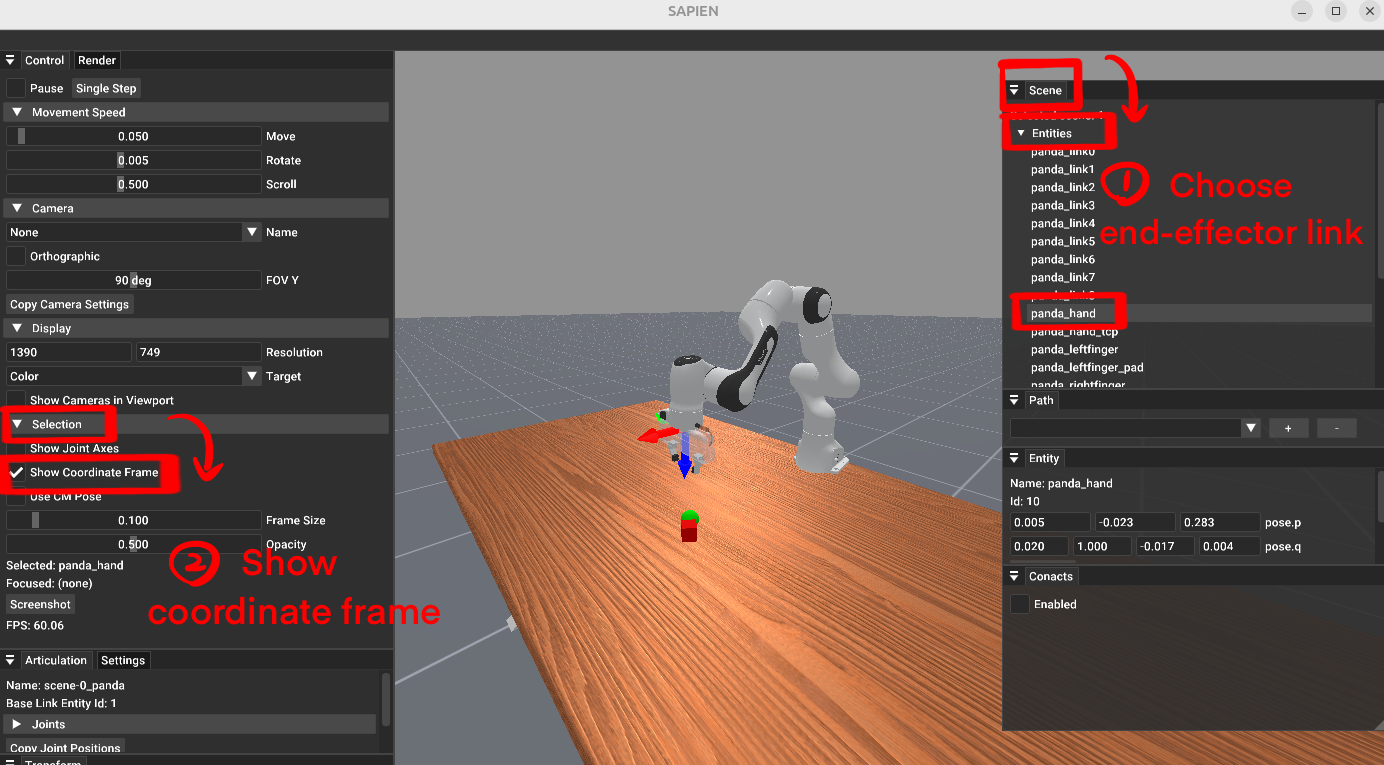
steps to show end-effector local frame in SAPIEN GUI#
Compare the local frame for controller frame and the end-effector frame. Align the controller frame to the end-effector frame with desired controlling direction, and find the difference between the two local frames.
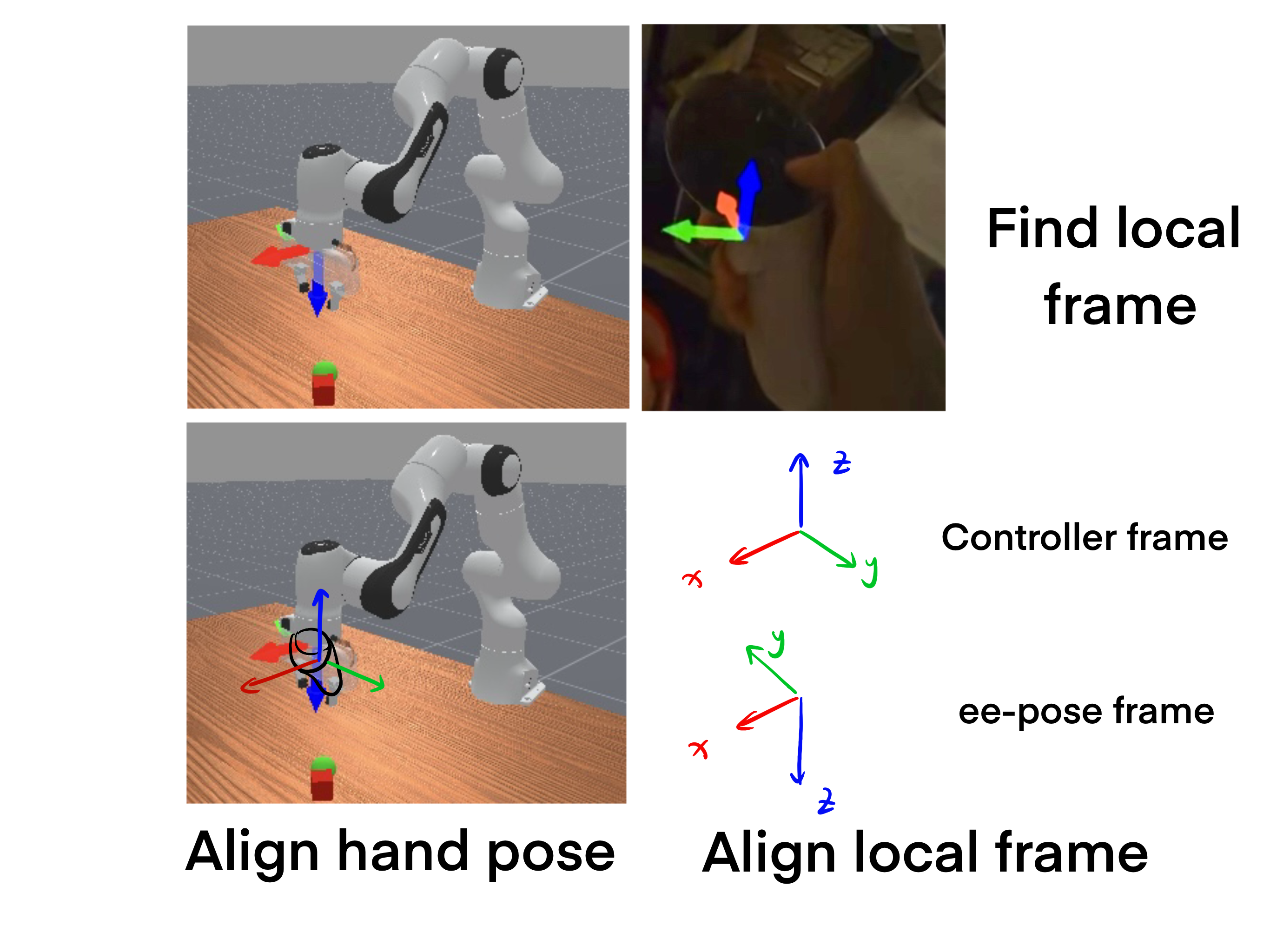
Analyze the axis relationships between the two local frames. In this example:
end-effector X axis aligns with controller X axis.
end-effector Y axis align with controller -Y axis.
end-effector Z axis aligns with controller -Z axis.
Compute the quaternion to convert the controller frame to the end-effector frame using:
python3 tools.py convert "x -y -z"
Replace the
ee_pose_convertorin the IK config with the computed quaternion. And the final IK config should look like this:
robot:
urdf: ${oc.env:MANISKILL_ASSETS}/robots/panda/panda_v2.urdf
fix_root_link: false
cut:
    root: panda_hand
    cuts: [panda_hand_tcp, panda_leftfinger, panda_rightfinger]


ik:
ee_pose_convertor: [q: [0, 1, 0, 0]]
ee_name: ["panda_hand"] # end-effector name
fix_joint_indices: []
n_retry: 0
max_iterations: 100
threshold: 1e-3
use_projected_ik: false # true
mod_2pi: false # true
Reference Coordinate Frames#
The following figures show the controller & hand local frames for reference.
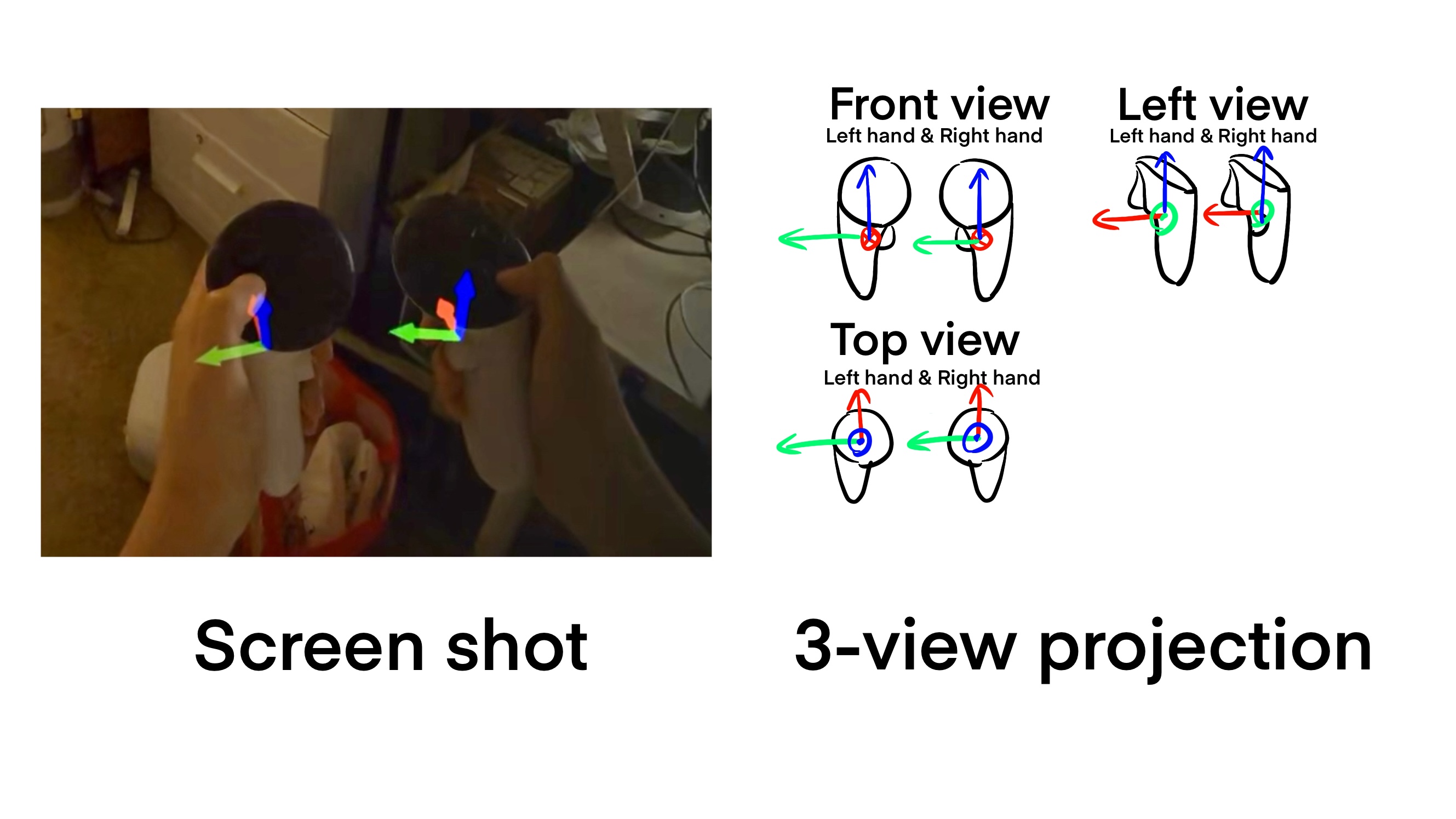
Controller local frame#
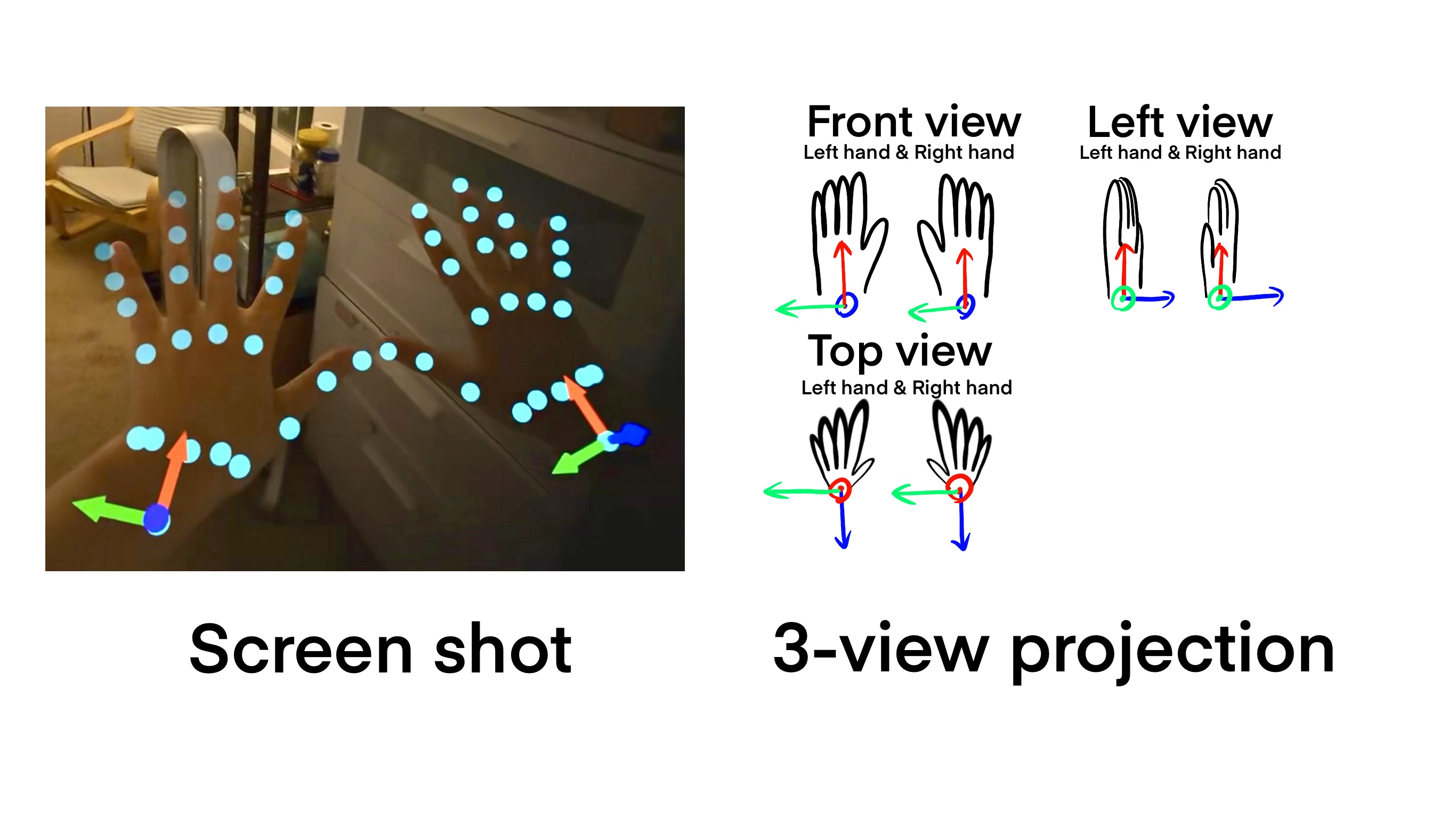
Hand local frame#